Insights Hub Articles
Secure document storage: How ECM and DMS safeguard your data

Reduce risks and stay compliant, using the right tools
“We really can’t afford to spend that much on security”
But maybe the question should be: “Can you afford not to?”
Risks have sharpened: IBM Cost of a Data Breach 2025 estimates the global average breach at roughly $4.44m, noting governance gaps around fast-adopted AI systems. ENISA’s Threat Landscape 2025 also tracks thousands of EU incidents from mid-2024 through mid-2025, showcasing persistent data exposure risks on the continent.
Together, these two studies show that secure document storage solutions are becoming core risk control. Kyocera Document Solutions helps organisations turn that principle into practice: by building control into your everyday document handling, the simplest workflows don’t become your biggest vulnerabilities.
Let’s understand how.
Challenges in Securing Digital Documents
Uncontrolled sharing and scattered storage create breaches in your document handling. Typical failure points include:
- Oversharing links
- Duplicate copies with different permissions
- No audit trail of who accessed what
The result is risk without visibility on where a breach may occur.
Kyocera brings order to this chaos by guiding teams towards governed repositories and consistent access rules, reducing leakage while keeping work moving.
Risks control: Role of ECM/DMS
An ECM (Enterprise Content Management) strategy with a modern DMS (Document Management System) gives you structured control:
- Permission management: Restrict sensitive folders (HR, legal, finance) to the right roles through granular access controls. Role-based permissions ensure that employees only see what they need, reducing the risk of unauthorized access or accidental exposure of confidential information.
- Encryption: Protect files both at rest and in transit, ensuring that data remains unreadable if intercepted during transfer or if storage media is compromised. Modern encryption standards provide a critical security layer that safeguards your content from external threats and unauthorized access attempts.
- Version control: Maintain one authoritative source of truth with a complete audit trail and revision history. This prevents confusion from multiple file copies circulating via email or shared drives, eliminates the risk of oversharing outdated versions, and provides accountability by tracking who made changes and when.
As your ECM/DMS becomes the operational hub for document-intensive processes, the next critical consideration is embedding data protection principles directly into your workflows.
How can you know if your toner is counterfeit?
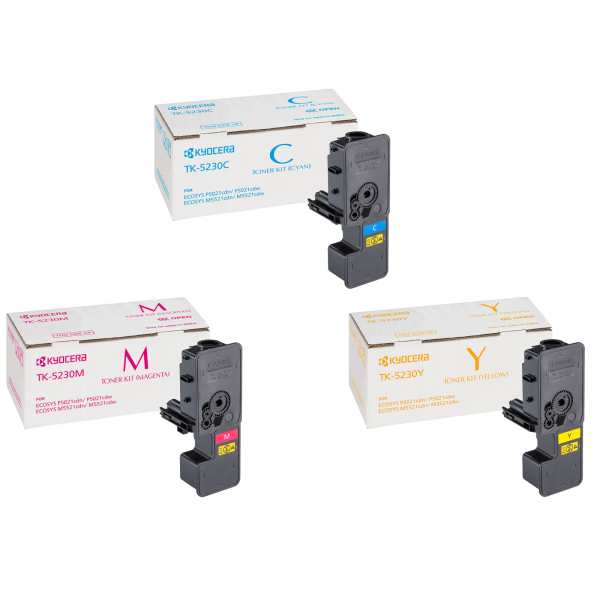
Kyocera applies security features to its products to guarantee that customers know that they are using only the best products. The security hologram, in combination with a Handy Viewer, permits a secure product authentication. In addition, there is often unusually low pricing of counterfeits product, but what may look like a bargain can turn out to be very costly. In order to be certain that a product is genuine, it is always advisable to purchase through an authorised Kyocera dealer channel. Please contact your dealer for the latest information on the colour-shift when using the Handy Viewer and hologram combination.
We care about the environment
Kyocera toners can guarantee an environmentally friendly approach which fits with our philosophy.
Kyocera Cloud Information Manager: The intuitive way to go digital
Data protection by design and audit trails
Data protection by design means security is baked into the workflow.
What allows a ECM/DMS system
With ECM/DMS you can:
- Automate retention and lifecycle controls so records never outlive their legal purpose, files are archived or deleted on a defined schedule.
- Enforce secure-by-default settings, keeping documents private unless explicitly shared.
- Maintain full auditability, capturing who viewed, edited, printed, or shared each document and when.
Kyocera frames these controls in practical steps: map critical content, apply role-based access, then add lifecycle and audit trail rules so compliance is evidence-ready rather than effort-heavy. If you’re assessing where to start, we have outlined clear ECM steps that make governance manageable for any team.
Data protection by design means security is baked into the workflow.”

Solutions for secure document storage
Cloud collaboration should not mean losing control. The goal is to be secure in the cloud: share safely, keep versions aligned, and maintain traceability. Kyocera’s approach supports European data needs while removing bottlenecks:
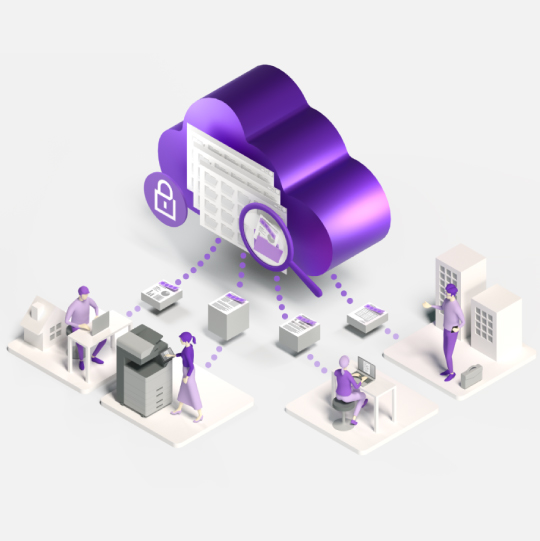
- Kyocera Cloud Information Manager (KCIM): Helps you start or accelerate your organisation’s digitisation journey, transforming physical documents into digital assets under centralised control. From instant document registration and intelligent labelling using extracted keywords to easy location of essential files and centralised business data repositories. In short, KCIM streamlines document management processes to enhance operational efficiency and productivity in today’s hybrid working environments.
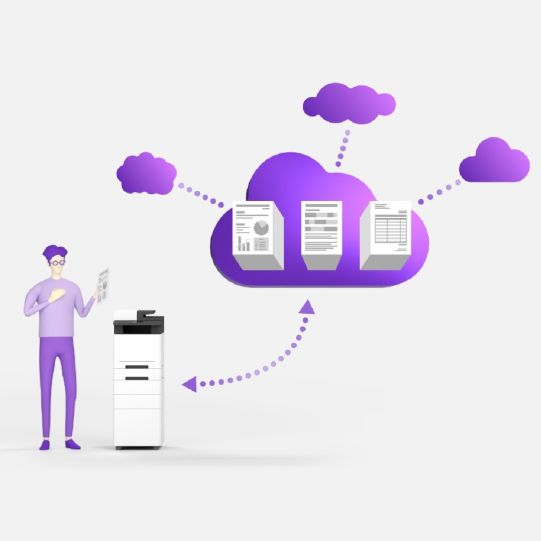
- Kyocera Cloud Capture (KCC): KCC is a document capture system that optimises business workflows by digitising paper documents through an MFP and sending the captured data via the cloud securely to a specified destination. This quick and easy data capture offered by KCC provides secure access to your cloud directly from your MFP.
- Kyocera Cloud Print and Scan (KCPS): Kyocera Cloud Print and Scan is a cloud-based print management solutions designed to enhance document security and control printing costs across your work environment. Print&Follow enables documents to securely release their print jobs from any Kyocera device, eliminating the need for on-site print servers while improving cost management and operational efficiency.
Together, these tools extend your ECM/DMS beyond storage into end-to-end control (capture, store, collaborate, and output) without sacrificing user friendliness.
Want practical help mapping risks and closing gaps?
Our experts can help you pilot cloud printing and cloud document management with data protection by design, robust audit trails and secure document storage that works for your people.
Strengthen document security with digitalisation
Replace risky paper files with secure, trackable digital documents backed by encryption, permissions, and automated backups.
How KCC supports remote and hybrid workforces
Capture securely from your MFP to the cloud to keep hybrid teams aligned.

ECM: The key for modern business success
How ECM improves compliance, control, and collaboration.
FAQ
Learn more about us
What’s the difference between ECM and a DMS?
A DMS manages files and workflows (store, search, share). ECM is broader: it governs content across departments with access controls, automation, retention, and compliance features.
How does an audit trail help with compliance?
An audit trail records who accessed, edited, shared, or printed a document and when. That traceability speeds investigations and helps demonstrate compliance on demand. Kyocera’s ECM guidance explains how to implement this cleanly.
Can we stay secure in the cloud without adding friction for users?
Yes. Kyocera combines KCIM for governed cloud storage, KCC for secure scan-to-cloud capture, and KCPS for secure print release. This keeps access simple while policies run in the background.
Where should we start if our documents are scattered?
Start small: pick one team, migrate high-risk documents into a governed space, turn on role-based access and retention, and measure the impact.
 Printer