Find and Unlock the information locked in your Documents and Content.
Kyocera Smart Information Manager (KSIM) is a web-based information management system for digital document management. Kyocera Smart Information Manager can also integrate diverse information sources into digital business processes to improve efficiency. In the system, paper documents, electronic content, scanned images and supported types are captured, managed, processed, finalised, and are easy to find.
Ways in which Kyocera Smart Information Manager (KSIM) can guide your digital document management.
Are you planning to move from paper-based workflows to digital document management? Kyocera Smart Information Manager (KSIM) enables easy implementation and allows document information to be integrated into digital workflows.
Do you store your files in different locations, leading to a loss of documents? Kyocera Smart Information Manager(KSIM) allows your staff to centrally manage digital documents, eliminating the impact caused by lost files.
Are you struggling with remote file accessibility? Kyocera Smart Information Manager (KSIM) allows your remote staff to access the documentation anytime, and from different locations.
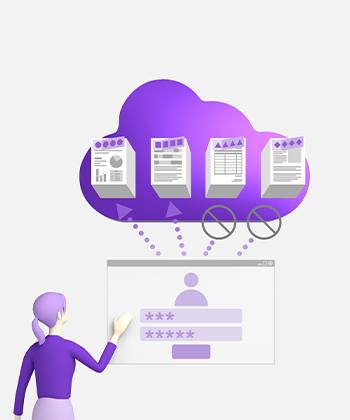
Not sure on how to conform to compliance and data protection requirements? With Kyocera Smart Information Manager (KSIM) you are able to manage users, access rights, and store workflow history logs, ensuring information security.
What do you need in a document management system?
By reducing the need for manual document workflows and file searching, companies can direct their energy and resources to uncovering new avenues of growth.
With our information management system, users can initiate document workflows for review and/or approve processes. You are able to record every action and add comments if necessary.
Document Workflow
With KYOCERA’s Smart Information Manager system you can import and export predefined workflows, allowing your staff to introduce digital workflows within the organisation promptly.
Predefine Workflows
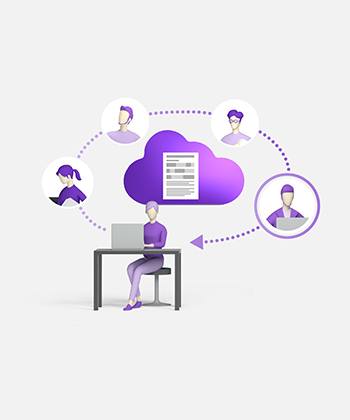
Your staff can easily share documents to different groups or users, regardless of where they are located.
Document Collaboration
The key to unleashing your company's potential
By reducing the need for manual document workflows and file searching, companies can direct their energy and resources to uncovering new avenues of growth. Streamlined processes enhance productivity and quality while eliminating manual errors.
01
Document Import
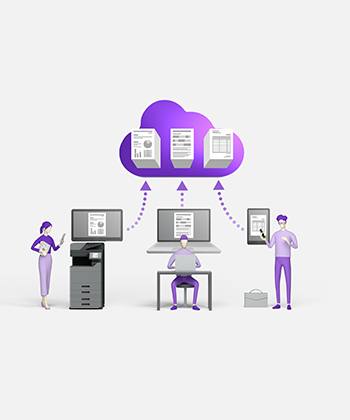
Easily import the document on the web browser or MFP.
02
Document Capture
Integration with Kyocera Capture Manager*, allows files to be captured, processed and stored.
04
Document Search
Easily search for document by full text search.
05
Improved security
Securely archive documents under access control
03
Version control
Records, replace and revert document versions
06
Multiple file formats
Handles variety formats such as PDF, docx, JPG and PNG
07
User management and access control
Admins can manage access by users and groups.
Ready to take the next step
Our support team is here to help you with any queries about Kyocera products and services.




 Printer