Manage your digital business content with Kyocera’s Cloud Document Management platform.
With the new trend of remote working, Kyocera Cloud Information Manager (KCIM) can enable your business to improve flexibility and performance by allowing full control over your documents. A SaaS platform that facilitates the storage and management of all your digital documents in a secure online archive.
Ways in which Kyocera Cloud Information Manager (KCIM) can support your digitalization process.
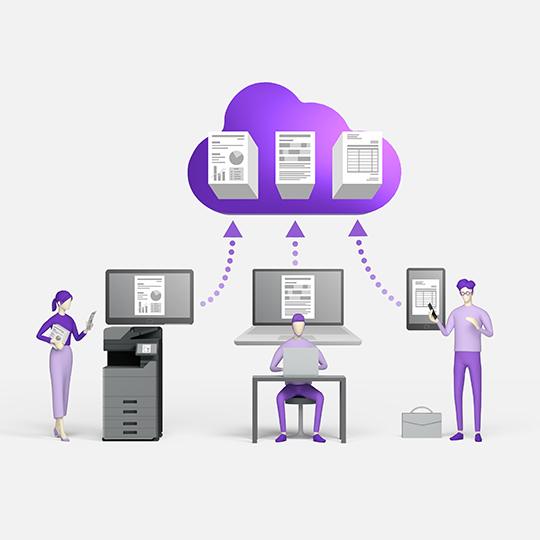
Cloud based access to your business documents The KCIM platform enables quick and secure access to your business documents through a web browser; therefore, users can access files wherever they are.
Ensure your documents are secure with Enhanced Security The KCIM platform stores documents in an encrypted server, where users with the right credentials are granted access
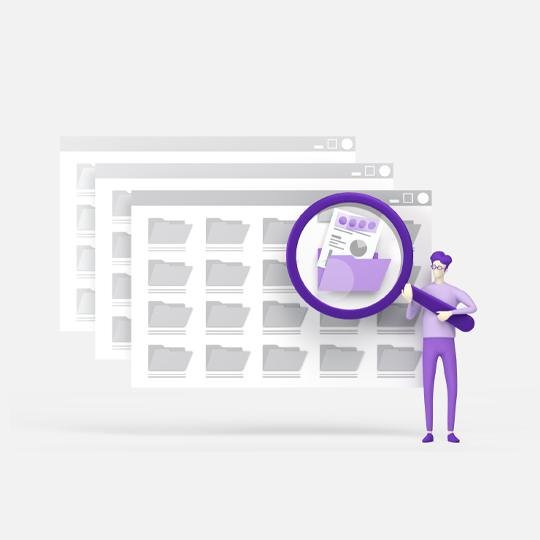
Easily Store and Find your Business Documents The KCIM platform “one click indexing” feature simplifies the labeling of documents and highlighting of keywords. This ensures all documents are easily found in the future.
Provide access to documents to users based on requirements KCIM provides a highly secure document management platform that allows administrators to manage access by document or user category.
Kyocera Cloud Information Manager helps business get their huge volumes of documents under control:
Instant organisation of documents
Label documents using extracted keywords
Easily locate essential documents
All digital documents are sent to a central repository
Regain control over your data with KCIM
The value of KCIM extends way beyond document control:
Confidential business data is kept safe regardless of where staff are working from
KCIM supports up to 12 different document types
All infrastructure costs are included in the license fee
With simple set-up, it’s ready to hit the ground running
The perfect tool for hybrid working
Features & Benefits
Here’s how Kyocera Cloud Information Manager works its magic:
01
Multi-tenant software
Reduce your operational costs using the multi-tenant software hosted in the cloud with Google Cloud Platform (GCP).
02
Search
Search functionalities can filter queries by several options such as “Created on”, “Creator” and “Version.”
06
One-click indexing
Users can specify the area of text in a document and the area can be copied and pasted to selected indexing filed.
07
Mobile
Capture documents and photos, and send them to cloud via mobile. The app can display a history of photos uploaded.
03
Validation required
When indexing documents, users can easily request validation to ensure accuracy of indexing.
04
Security
Access control can be set to document classes per user. Documents can be configured with unique permissions.
08
Folders
Organise documents by folders. My Folders is your root folder by default, but new folders can be created in an instant.
09
Comment
The ability to leave comments on documents allows teams to collaborate in a more streamlined and transparent manner.
05
History
When viewing document history changes, users can filter by a wide number of search criteria.
10
System Requirements
Browser support: Edge v92 or later, Chrome v70 or later, Safari v14 or later.
Browser support
Minimum Edge 92, Chrome 70 or Safari 14
Language Support
English, German, French, Italian, additional languages to be added
MFP Device Compaitibility
Comptible Kyocera HyPAS MFP's
Mobile Device Support
Minimum Android v6 or iOS v14
Ready to take the next step
Our support team is here to help you with any queries about Kyocera products and services.




 Printer